 boswidget
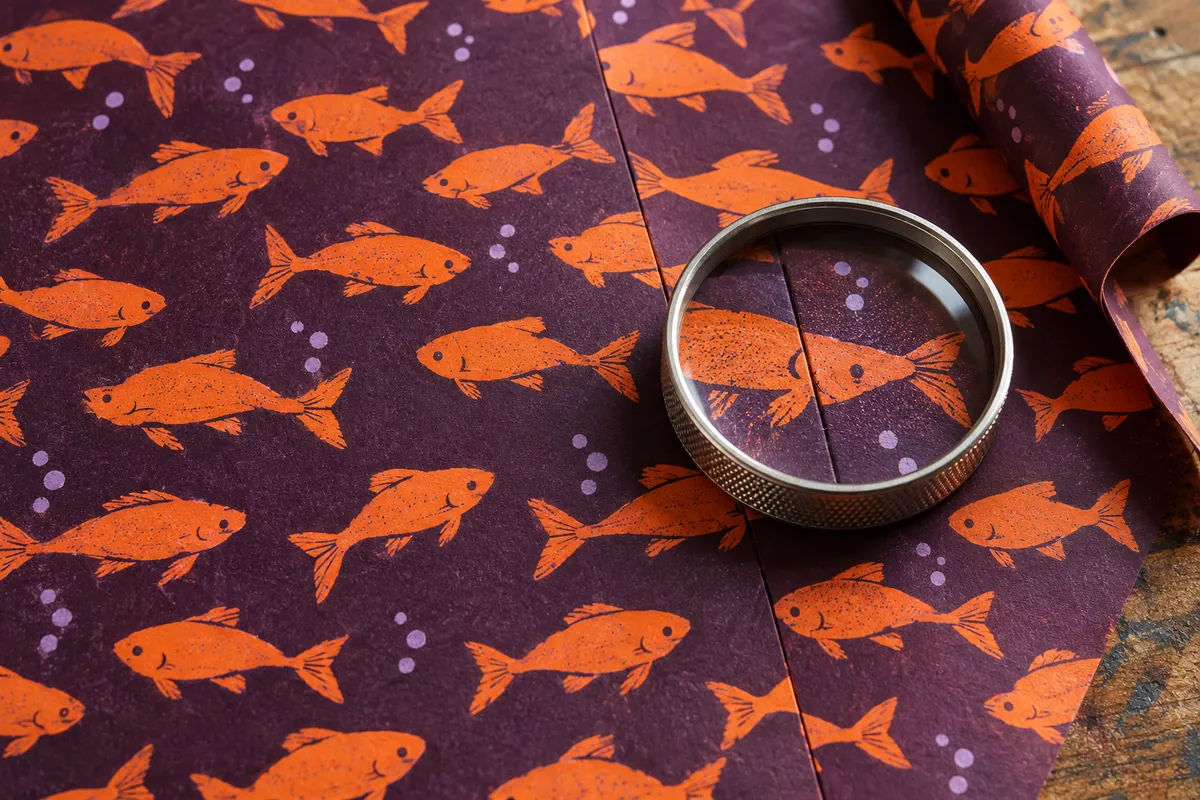
The fish look tidy in one square. Spread copies across a sheet of wrapping paper, though, and a pale stripe appears between them while identical tails line up in a long diagonal. These are two separate faults: a break at the edge and an overly obvious rhythm. Check both in a Midjourney pattern before choosing the ribbon and sending the layout to print.
We will make flat artwork for wrapping paper: orange fish on a purple background, with small pale dots between them. We need the graphic itself, rather than a photograph of a box covered in it. The packaging comes later, once the repeat unit is ready.
What the prompt needs to produce
The --tile parameter is intended for images whose opposite edges continue into each other when repeated. The result is one repeat unit. It does not replace a layout of the whole sheet or reveal how insistently a large patch of colour will recur. The official documentation recommends viewing several copies together.
The example specifies V7, for which --tile support is documented. Before running it, check that your chosen interface accepts this version and parameter. A model name in a menu does not establish that. If those settings are unavailable, do not assume an ordinary image is seamless: check its repeat first.
One prompt for the artwork, rather than a finished gift
Flat hand-painted pattern for wrapping paper: small stylised orange fish in profile, rounded bodies and short tails, fish facing different directions and evenly distributed across a matte purple background, sparse tiny pale cream dots between them, clear simple silhouettes, flat areas of colour, calm spaces between motifs, gouache artwork, straight-on view --tile --ar 1:1 --v 7The fish and dots define the motifs; varied directions reduce the risk of a regimented row of identical shapes. Simple silhouettes matter when the print is small. Asking for even distribution remains a request: judge the actual density in the repeated layout.
Do not also ask for paper folds, a bow and a box. Those objects turn the task into a product scene. If you need a three-dimensional gift mock-up, apply the checked pattern in an editor as a separate step. A mistake in the box fold will then be less likely to conceal a faulty join.
Build a 3 x 3 check
Save the individual tile you selected. In an image editor, arrange nine copies in three rows. Every copy must have the same dimensions, with no gaps, overlaps or added border. Do not rotate neighbouring squares or adjust them individually: that would test a different arrangement.
Start with the joins around the central copy. These show both pairs of opposite edges and the meeting point of four corners. Zoom to the image's native pixel scale. Then zoom out until the whole layout is about the size at which someone will see the wrapping paper.
- Edges: the fish outline continues across the boundary, with no abrupt change in line thickness or background colour. Check horizontal and vertical joins.
- Corners: where four copies meet, there should be no unexpected empty square, cut-off motif or dense dark patch.
- Rhythm: recurring stripes and diagonals should not catch the eye. A large fish in every square can form a conspicuous grid even when the joins are clean.
A thin pale line can come from a gap between objects in the editor or from the preview display. Check the positioning of the copies and the exported layout. Do not alter the original artwork until you have found where the line comes from.
Address the fault without rewriting the whole prompt
If the joins are clean but the fish bunch together, replace the distribution wording in the full prompt with a looser arrangement: small separate motifs with generous quiet spaces. Keep the other characteristics. If the result forms a rigid grid, ask for varied angles and slightly different fish sizes. These are directions for another attempt, not guaranteed fixes.
If a break lies right on the boundary, first check the original file, the version and whether --tile was included in the submitted prompt. Then generate another option and assemble nine copies again. An attractive single square is no reason to skip the repeat check.
Scale changes how a pattern reads
The same artwork can read as a fine texture on a box and a collection of enormous fish on a bag. Place the repeated graphic in a layout with the product's actual dimensions. Check how many complete motifs appear on the front and whether a key shape falls under a fold or label. Choose the motif scale in the layout, not through --ar: that parameter sets the image's aspect ratio.
Midjourney warns that Upscale often breaks a seamless repeat. After that processing, the earlier check no longer applies. Keep the original tile separately and inspect all the joins in the processed file again. Check ordinary resizing in an editor too: fine details can disappear when the image is reduced.
What to keep before printing
Save the individual tile, the 3 x 3 layout and the packaging mock-up. Record the full prompt, version, original dimensions and chosen motif scale alongside them. Before a print run, check the printer's file requirements and make a proof: an on-screen seam check cannot show the colour or the legibility of fine details on a particular paper.